

The Subaru Ascent features the innovative "Cabin Connect" function, which allows the driver or front passenger to communicate clearly with third-row occupants without raising their voice.
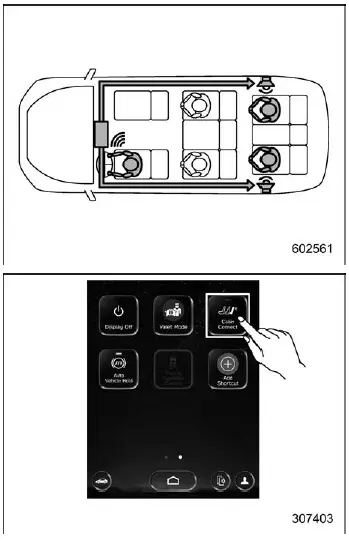
To activate or deactivate this feature, simply tap the "Cabin Connect" icon on the display. This function enhances convenience and communication, especially in larger cabin configurations of the Subaru Ascent.
Volume levels for Cabin Connect can be adjusted through the system settings. For detailed configuration instructions, refer to the navigation/audio Owner's Manual.
NOTE
When Cabin Connect is active in the Subaru Ascent, the audio system volume is automatically adjusted to ensure clear voice transmission to rear passengers.
The Subaru Ascent combines advanced air filtration, reliable audio reception, and smart interior communication features to create a комфортний, технологічний та зручний про�тір дл� в�іх па�ажирів.
Related manual topics
Brake fluid
Checking the fluid level
WARNING
Prevent brake fluid from coming into contact with your eyes when servicing
your Subaru Ascent, as it can cause serious irritation or injury. If exposure
occurs, rinse immediately with clean water and seek medical attention if necessary.
Wearing protecti ...
USB power supply
CAUTION
In the Subaru Ascent, only USB Type-A and Type-C terminals are supported.
Connecting devices with incompatible connectors may result in charging failure
or device malfunction.
There is always a possibility of device malfunction or data loss when
using USB connections. Any conn ...