

Center ventilators
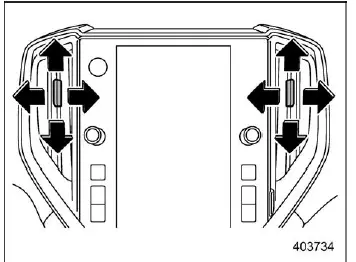
Center ventilators
In the Subaru Ascent, the center ventilators are designed to provide flexible airflow control for front occupants. To adjust the direction of airflow, move the control tab to the desired angle. If you need to stop airflow completely, move the tab fully downward to close the vent.
Side ventilators
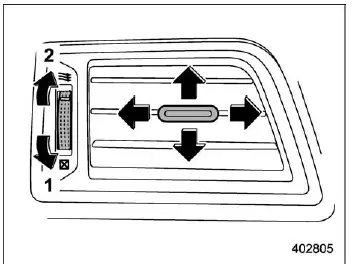
Side ventilators
- Close
- Open
The side ventilators in the Subaru Ascent allow precise airflow direction adjustments. Use the tab to direct air where needed, and switch between open and closed positions to control ventilation intensity.
Rear ventilators
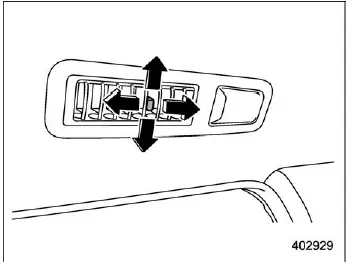
Rear passengers in the Subaru Ascent can also enjoy adjustable airflow. Move the tab to direct air distribution, and slide it fully backward to close the rear ventilators when airflow is not required.
Related manual topics
Trailer towing
The Subaru Ascent is primarily engineered as a passenger-focused vehicle, designed
to deliver comfort, safety, and everyday usability. However, when towing a trailer,
additional mechanical stress is placed on key components such as the engine, drivetrain,
braking system, tires, and suspension. ...
Reverse Automatic Braking (RAB) system ON/OFF setting
In the Subaru Ascent, when the select lever is moved into the "R" (Reverse) position,
you gain access to customizable settings for the Reverse Automatic Braking (RAB)
system directly through the center information display. This allows the driver to
conveniently enable or disable key ...