

In the Subaru Ascent, the set of basic screens can be conveniently switched using
the
 or
or
 controls located on the steering wheel. This allows the driver to quickly access
key driving data without distraction, ensuring both convenience and safety while
operating the Subaru Ascent.
controls located on the steering wheel. This allows the driver to quickly access
key driving data without distraction, ensuring both convenience and safety while
operating the Subaru Ascent.
Average fuel consumption screen:
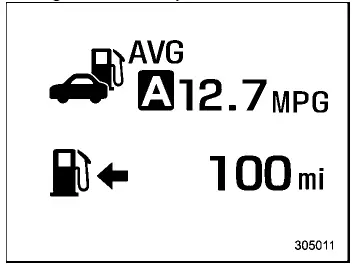
 Average fuel consumption
 Driving range on remaining fuel
This screen in the Subaru Ascent provides a calculated average fuel consumption value based on data collected since the last reset of the trip meter. It enables the driver to evaluate overall driving efficiency over time and adapt driving habits accordingly.
NOTE
The displayed driving range in the Subaru Ascent is an estimated value. Actual driving range may vary depending on driving conditions, terrain, and driving style. It is highly recommended to refuel as soon as the low fuel warning light is activated.
Current fuel consumption screen:
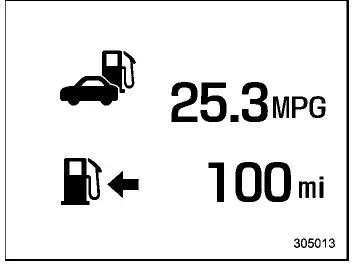
 Current fuel consumption
 Driving range on remaining fuel
This screen displays the real-time fuel consumption of the Subaru Ascent, allowing the driver to instantly see how driving inputs such as acceleration or speed influence fuel usage.
NOTE
The driving range indication remains an approximation and should not be relied upon as an exact figure. Refueling promptly after the low fuel warning appears is essential for safe operation.
Driving information screen:
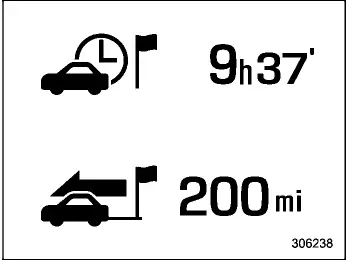
 Journey time
 Journey distance
The driving information screen in the Subaru Ascent displays both journey time (elapsed time since the ignition was switched to "ON") and journey distance (distance traveled during the current trip). This information is useful for monitoring trip duration and planning longer drives.
Digital speed screen:
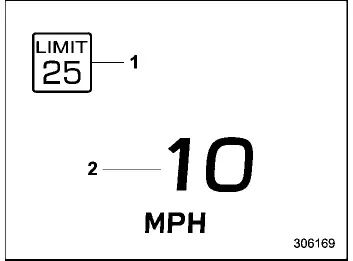
- Speed limit indicator (if equipped)
- Vehicle speed
This screen provides a clear digital readout of the current vehicle speed in the Subaru Ascent, improving visibility compared to traditional analog gauges, especially in varying lighting conditions.
TPMS screen (U.S.-spec. models):
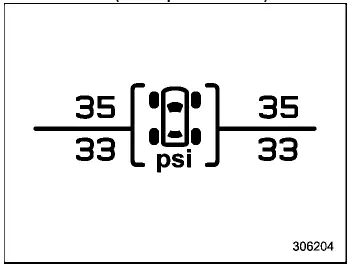
This screen displays the tire pressure for each wheel of the Subaru Ascent, helping the driver maintain optimal tire conditions for safety and efficiency.
If a tire becomes underinflated, the affected tire and its pressure value will be highlighted in yellow, providing a clear visual alert.
NOTE
- Tire pressure values may take several minutes to appear after driving begins.
- Once low pressure is detected, the highlighted values will remain visible until proper pressure is restored.
- Immediately adjust tire pressure when the warning light appears.
After correction, the system will automatically update, turning the values back to white once normal pressure is detected.
- The tire pressure unit can be customized according to user preference.
Compass screen (if equipped):
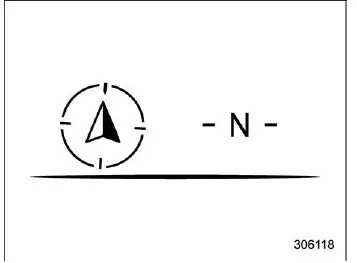
The compass screen in the Subaru Ascent shows the current direction of travel, assisting the driver with orientation and navigation.
Navigation screen (if equipped):
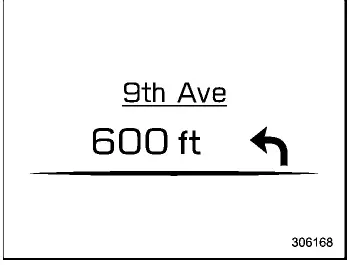
When route guidance is active, this screen displays navigation details directly within the Subaru Ascent instrument cluster, allowing the driver to follow directions without diverting attention from the road. For full functionality, refer to the dedicated navigation/audio manual.
Audio screen:
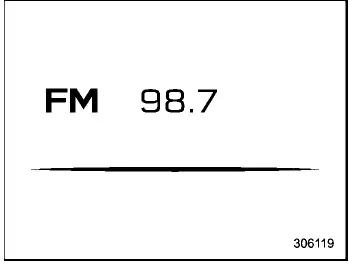
The audio screen provides information about the current media playback, including track or station details, enabling seamless control and monitoring of the Subaru Ascent entertainment system.
Clock and outside temperature screen:
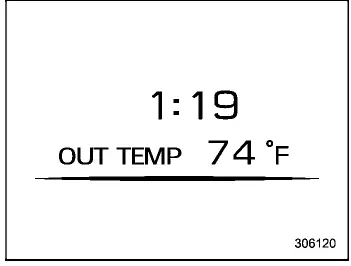
This screen displays both the current time and the outside temperature, giving the Subaru Ascent driver quick access to essential environmental information.
NOTE
- The clock format can be adjusted between 12-hour and 24-hour modes.
- The outside temperature reading reflects the sensor area and may be
delayed or slightly inaccurate under certain conditions:
- During low-speed driving or when stationary
- When moving through rapidly changing environments such as tunnels or parking structures
- Immediately after starting the engine
- The temperature unit can be switched between Celsius (°C) and Fahrenheit (°F).
Related manual topics
Tire care - maintenance and safety practices
For reliable performance of your Subaru Ascent, inspect the tires ежедневно
or before each drive to ensure they are free from serious damage, embedded objects
such as nails or stones, and any visible defects. At the same time, carefully
examine the tread pattern for signs of uneven or ab ...
New vehicle break-in driving - the first 1,000 miles (1,600 km)
The long-term durability, efficiency, and overall performance of your Subaru
Ascent depend greatly on how carefully the vehicle is treated during its initial
driving period. Proper break-in practices help ensure that key engine and drivetrain
components settle correctly and operate at their be ...