

When the ignition of the Subaru Ascent is in the "ON" position, the system can be operated using the select lever and the view monitor switch to display various camera angles.
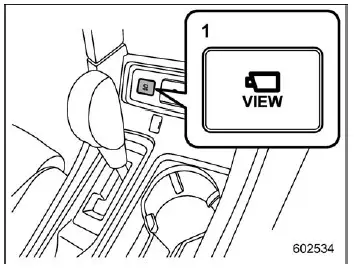
- View monitor switch
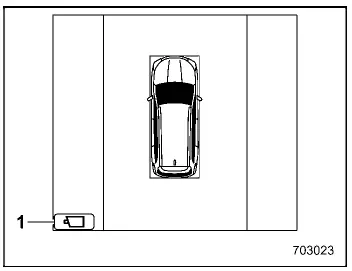
- View icon
Checking your surroundings while the vehicle is stopped
To activate a 3D view of the surroundings in the Subaru Ascent, press the view monitor switch while the select lever is in the "P" position.
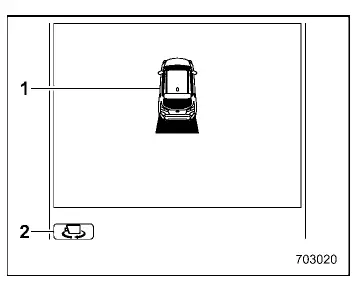
- Vehicle icon
- Vehicle angle icon
In 3D view mode, the Subaru Ascent display rotates through different viewing angles automatically. Once it returns to the original position, the rotation stops. You can also manually change the angle by selecting the vehicle angle icon on the screen.
NOTE
The Subaru Ascent system remembers the last selected viewing angle. The next time the monitor is activated, it will display the previously used angle.
Checking the rearward
When the gear selector is shifted to "R", the Subaru Ascent automatically displays the rear camera view.
Pressing the view monitor switch or tapping the view icon allows switching between different rear display modes.
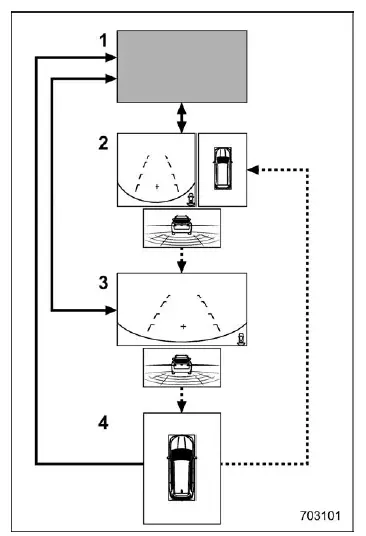
- Original screen
- Rear view screen/Top view screen/Reverse Automatic Braking (RAB) screen
- Rear view screen/Reverse Automatic Braking (RAB) screen
- Top view screen
 Shift the select lever.
 Touch the view icon or press the view monitor switch.
NOTE
- The Subaru Ascent remembers the last display mode used. When reactivated, the same screen will appear, except in specific cases such as top view mode resetting to rear view.
- If "Rear Camera Delay Control" is enabled, the rear view remains visible for a short period after shifting out of reverse. This setting can be adjusted through system settings.
Checking the front
When driving the Subaru Ascent in "N" or "D" position, pressing the view monitor switch activates the front camera view.
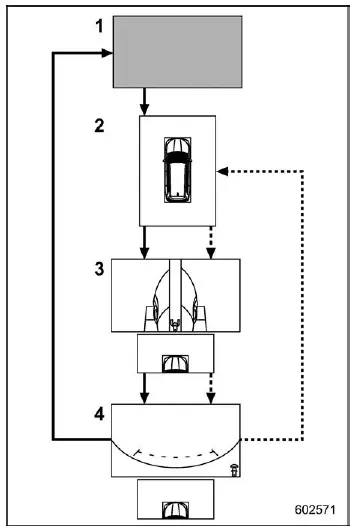
- Original screen
- Top view screen
- Left-side view screen/Right-side view screen/Front-top view screen
- Front view screen/Front-top view screen
 Press the view monitor switch.
 Touch the view icon.
NOTE
The Subaru Ascent Surround View Monitor retains the last selected view, providing a consistent and user-friendly experience each time the system is activated.
The Subaru Ascent advanced camera system enhances safety and convenience by delivering a comprehensive view of the surroundings, making parking, maneuvering, and low-speed driving more controlled and confident.
Related manual topics
Flat tires
If a flat tire occurs while driving your Subaru Ascent, it is essential to remain
calm and avoid any abrupt braking. Instead, maintain a straight driving path and
gently reduce your speed in a controlled manner, allowing the vehicle to decelerate
smoothly without compromising stability.
After ...
Under-floor storage compartment
CAUTION
While driving the Subaru Ascent, always ensure that the under-floor storage
compartment lid is securely closed. An open lid may become a hazard during sudden
braking or in the event of a collision.
Do not place flammable materials, pressurized containers, or corrosive
substanc ...